> For the complete documentation index, see [llms.txt](https://handbook.musescore.org/llms.txt). Markdown versions of documentation pages are available by appending `.md` to page URLs; this page is available as [Markdown](https://handbook.musescore.org/nl/notation/expressive-markings/articulations.md).
# Articulaties
In dit hoofdstuk worden de symbolen besproken die beschikbaar zijn in het **Articulaties** palet (accenten, staccato, vibrato markering enz.).
Om verbale articulatieobjecten uit het **Tekst** palet (*legato, pizz., arco, tremolo* enz.) aan een partituur toe te voegen, zie het hoofdstuk [Tekst invoeren en bewerken](/nl/text/entering-and-editing-text.md). Gitaararticulatie wordt behandeld in de hoofdstukken onder [Idiomatische notatie: Gitaar](/nl/idiomatic-notation/guitar.md). Koperblazers- of houtblazersarticulatie (val, doit, plop, scoop) wordt behandeld in [Arpeggio's en glissandi](/nl/notation/expressive-markings/arpeggios-and-glissandos.md#bends).
## Articulaties aan een partituur toevoegen
### Sneltoetsen
Om een articulatie toe te voegen met een sneltoets:
1. Selecteer een of meer noten.
2. Gebruik de relevante sneltoets uit de onderstaande lijst:
* Marcato: `Shift`+`O`
* Accent: `Shift`+`V`
* Tenuto: `Shift`+`N`
* Staccato: `Shift`+`S`.
### Vanuit de werkbalk
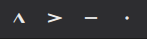
Bepaalde articulaties (accent, marcato, staccato en tenuto) kunnen worden toegevoegd via de noteninvoerwerkbalk:
1. Selecteer een of meer noten.
2. Klik op het gewenste pictogram in de werkbalk voor articulaties.
### Articulaties palet
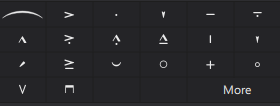
The Articulations palette
Een item aan een partituur toevoegen:
1. Selecteer een of meer noten.
2. Klik op de gewenste articulatie in het **Articulaties** palet.
Je kunt het articulatie symbool ook rechtstreeks vanuit het palet naar een nootkop slepen.
## Articulaties afspelen
Bepaalde articulaties beïnvloeden het afspelen van noten, zoals staccato, staccatissimo, louré (tenuto + staccato) en accenten. Dit wordt automatisch door het programma verwerkt.
## Articulatie-eigenschappen
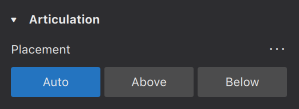
Bewerkbare eigenschappen van geselecteerde articulaties op de partituur worden weergegeven in het [**Eigenschappen** paneel](/nl/basics/properties-panel.md).
* **Plaatsing**: Dit verandert de positie van het symbool boven of onder de noot.
## Articulatie stijl
*Zie het hoofdstuk* [*Sjablonen en stijlen*](/nl/customization/templates-and-styles.md)
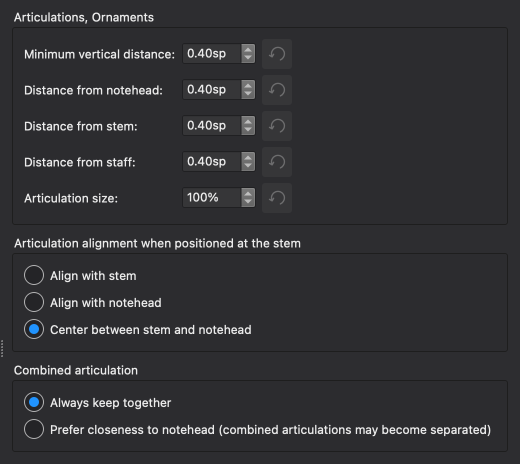
* De waarden van de "Stijl voor Articulaties & Versieringen" kunnen worden bewerkt in **Opmaak -> Stijl -> Articulaties & versieringen**.
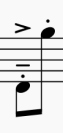
Hieronder zie je de resultaten van enkele opties in de partituur.
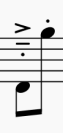
### Uitlijningsopties
Align with stem
Align with notehead
Center between stem and notehead
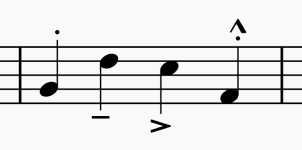
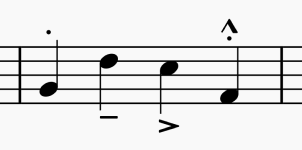
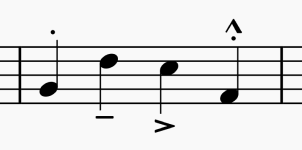
### Gecombineerde articulatiemogelijkheden
Always keep together
Prefer closeness to notehead (combined articulations may become separated)
---
# Agent Instructions
This documentation is published with GitBook. GitBook is the documentation platform designed so that both humans and AI agents can read, navigate, and reason over technical content effectively. Learn more at gitbook.com.
## Querying This Documentation
If you need additional information that is not directly available in this page, you can query the documentation by asking a question.
Perform an HTTP GET request on the following URL with the `ask` and `goal` query parameters:
```
GET https://handbook.musescore.org/nl/notation/expressive-markings/articulations.md?ask=&goal=
```
`ask` is the immediate question: it should be specific, self-contained, and written in natural language.
`goal` is what the user is ultimately trying to achieve, the reason they need the answer. Sharing it helps GitBook give you a better, more relevant answer. A goal is most helpful when it describes the outcome the user wants rather than restating the question. For example, with `ask=how do I create an API token`, a goal like `automate deployments from our CI pipeline` lets GitBook tailor the answer to that use case.
The response will contain a direct answer to the question and relevant excerpts and sources from the documentation.
Use this mechanism when the answer is not explicitly present in the current page, you need clarification or additional context, or you want to retrieve related documentation sections.