> For the complete documentation index, see [llms.txt](https://handbook.musescore.org/llms.txt). Markdown versions of documentation pages are available by appending `.md` to page URLs; this page is available as [Markdown](https://handbook.musescore.org/nl/idiomatic-notation/keyboard/cross-staff-notation.md).
# Notatie over meerdere notenbalken
## Notatie over meerdere notenbalken maken
1. Voer allereerst de notatie in op slechts één notenbalk.
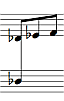
2. Select a note in the [voice](/nl/basics/working-with-multiple-voices.md) that you wish to move up or down to the other staff, e.g.\

3. Press Ctrl+Shift+Up/Down (Mac: Cmd+Shift+Up/Down), to move the voice up or down to the other staff. Alternatively, you can click on the cross-staff icon in the toolbar and choose the same options from the context menu.\

**Opmerking**: Momenteel is het niet mogelijk om individuele noten van een akkoord van de ene notenbalk naar de andere te verplaatsen; als je één noot verplaatst, verplaatst het hele akkoord. Daarom moeten bepaalde noten, als je ze op de oorspronkelijke notenbalk wilt behouden, naar een andere stem worden verplaatst. Houd er ook rekening mee dat noten die op deze manier naar een andere notenbalk worden verplaatst, logischerwijs nog steeds bij de oorspronkelijke notenbalk horen – ze worden alleen op een andere notenbalk getekend. Dit is de reden waarom er geen rust wordt weergegeven op de notenbalk waar de noten vandaan zijn verplaatst.
## Zie ook
[Hoe maak je een akkoord of stok over twee notenbalken](https://musescore.org/en/node/8717)
---
# Agent Instructions
This documentation is published with GitBook. GitBook is the documentation platform designed so that both humans and AI agents can read, navigate, and reason over technical content effectively. Learn more at gitbook.com.
## Querying This Documentation
If you need additional information that is not directly available in this page, you can query the documentation dynamically by asking a question.
Perform an HTTP GET request on the current page URL with the `ask` query parameter, and the optional `goal` query parameter:
```
GET https://handbook.musescore.org/nl/idiomatic-notation/keyboard/cross-staff-notation.md?ask=&goal=
```
`ask` is the immediate question: it should be specific, self-contained, and written in natural language.
`goal` is optional and describes the broader end goal you are ultimately trying to accomplish on behalf of the user. GitBook uses it to tailor the answer towards what is most useful for that goal.
The response will contain a direct answer to the question and relevant excerpts and sources from the documentation.
Use this mechanism when the answer is not explicitly present in the current page, you need clarification or additional context, or you want to retrieve related documentation sections.