> For the complete documentation index, see [llms.txt](https://handbook.musescore.org/llms.txt). Markdown versions of documentation pages are available by appending `.md` to page URLs; this page is available as [Markdown](https://handbook.musescore.org/fi/notation/expressive-markings/articulations.md).
# Artikulaatiot
Tässä luvussa käsitellään **Artikulaatiot**-paletissa käytettävissä olevia symboleja (aksentit, staccato-, vibrato-merkinnät jne.).
To add verbal articulation objects available in the **Text** palette (*legato, pizz., arco, tremolo* etc) to a score, see [Entering and editing text](/fi/text/entering-and-editing-text.md) chapter. Guitar articulation is covered in chapters under [Idiomatic notation: Guitar](/fi/idiomatic-notation/guitar.md). Brass or woodwind articulation (fall, doit, plop, scoop) is covered in [Arpeggios and glissandi](/fi/notation/expressive-markings/arpeggios-and-glissandos.md#bends).
## Adding articulations to a score
### Keyboard shortcuts
Artikulaation lisääminen pikanäppäimellä:
1. Valitse yksi tai useampi nuotti
2. Käytä alla olevasta luettelosta sopivaa pikanäppäintä:
* Marcato: `Shift`+`O`
* Aksentti: `Shift`+`V`
* Tenuto: `Shift`+`N`
* Staccato: `Shift`+`S`.
### From the toolbar
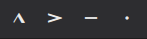
Tietyt artikulaatiot (aksentti, marcato, staccato ja tenuto) voidaan lisätä nuotinsyöttöpalkista:
1. Valitse yksi tai useampi nuotti
2. Klikkaa haluamaasi kuvaketta artikulaatioiden työkalupalkissa.
### Articulations palette
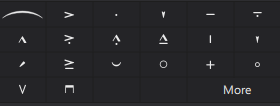
The Articulations palette
Kohteen lisääminen partituuriin:
1. Valitse yksi tai useampi nuotti
2. Klikkaa haluamaasi kuvaketta **Artikulaatiot**-paletissa.
Vaihtoehtoisesti voit vetää ja pudottaa artikulaatiosymbolin paletista nuotinpäähän.
## Articulations playback
Tietyt artikulaatiot vaikuttavat nuotin toistoon – kuten staccato, staccatissimo, louré (tenuto + staccato) ja aksentit. Ohjelma käsittelee tämän automaattisesti.
## Articulation properties
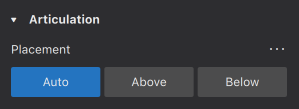
Partituurissa valittujen artikulaatioiden muokattavat ominaisuudet näkyvät [**Ominaisuudet**-paneelissa](/fi/basics/properties-panel.md).
* **Sijoitus**: Tämä muuttaa symbolin sijaintia nuotin ylä- tai alapuolella.
## Articulation style
*Katso pääluku* [*Mallit ja tyylit*](/fi/customization/templates-and-styles.md)
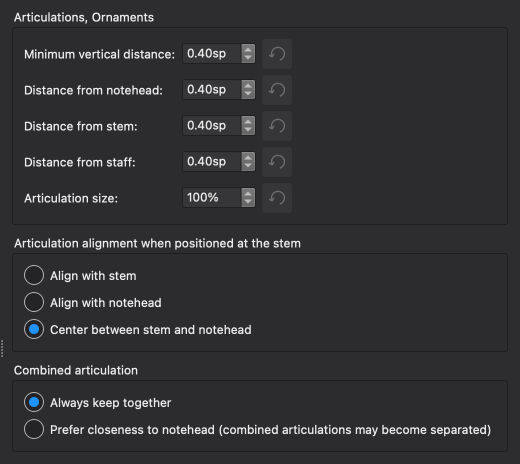
* "Artikulaatioiden ja korukuvioiden" -arvoja voidaan muokata kohdassa **Muotoilu → Tyyli → Artikulaatiot ja korukuviot**.
Alla näkyvät joidenkin asetusten tulokset partituurissa.
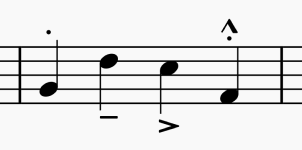
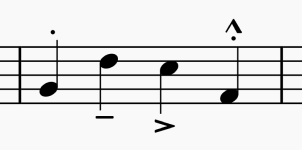
### Alignment options
Align with stem
Align with notehead
Center between stem and notehead
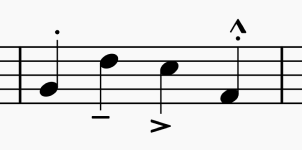
### Combined articulation options
Always keep together
Prefer closeness to notehead (combined articulations may become separated)
---
# Agent Instructions
This documentation is published with GitBook. GitBook is the documentation platform designed so that both humans and AI agents can read, navigate, and reason over technical content effectively. Learn more at gitbook.com.
## Querying This Documentation
If you need additional information that is not directly available in this page, you can query the documentation dynamically by asking a question.
Perform an HTTP GET request on the current page URL with the `ask` query parameter, and the optional `goal` query parameter:
```
GET https://handbook.musescore.org/fi/notation/expressive-markings/articulations.md?ask=&goal=
```
`ask` is the immediate question: it should be specific, self-contained, and written in natural language.
`goal` is optional and describes the broader end goal you are ultimately trying to accomplish on behalf of the user. GitBook uses it to tailor the answer towards what is most useful for that goal.
The response will contain a direct answer to the question and relevant excerpts and sources from the documentation.
Use this mechanism when the answer is not explicitly present in the current page, you need clarification or additional context, or you want to retrieve related documentation sections.